 FitHome
Choosing an offline home workout app for Android: a checklist
What to look for in an offline home workout app for Android with no account and no equipment: a 10-point checklist, and how FitHome meets each point.
If you search for the best home workout app for Android, you'll find hundreds of them. Many look alike in the store listing. The differences show up later: when you're on a plane with no signal, when an app asks you to create an account before your first squat, or when a "free" app turns out to need a subscription for the plans you actually want.
This guide doesn't rank apps. Instead, it gives you a checklist you can use on any home workout app, so you can decide for yourself. For each point, we show how FitHome handles it, with short clips from our feature tour. Where FitHome doesn't do something, we say so.
The offline home workout app checklist
Here are the ten questions. The sections below go through them one by one.
- Does it work fully offline?
- Can you use it without an account?
- Does it work with no equipment?
- Will it show you how to do each move?
- Does it fit your level and your body's limits?
- Does it decide what to train when you can't?
- Can you see progress without a cloud dashboard?
- Is the price clear, with no subscription surprises?
- Does it run on the devices you own, including older ones?
- Is it accessible, and can you get your data out?
1. Does the workout app work fully offline?
"Works offline" can mean many things. Some apps cache videos but need a connection to log a workout. Some work offline until they want to show an ad or sync.
What to check: turn on airplane mode, open the app and complete a full workout. Then look at the app's permissions in Android settings.
How FitHome handles it: FitHome doesn't request Android's internet permission at all, so it can't open a network connection. Every plan, animation and chart is on the phone. The voice coach uses your phone's offline text-to-speech voice. If no voice is installed for your language, beeps mark each step until you install one. Why FitHome works offline, with no account explains how this is enforced in the build.
2. Can you use it with no account?
An account means an email, a password, and your workout history on someone else's server.
What to check: can you reach your first workout without signing up? Is there a "continue as guest" option that later nags you?
How FitHome handles it: there's no account, no sign-up and no password. You open the app, answer a one-minute setup (goal, level, days a week, and some optional steps) and start.
Without an account, backups need another route. FitHome can save backups to a folder you choose, daily or weekly, optionally encrypted with a passphrase, and you restore from that folder on a new phone. You can also export your history in open formats (CSV, JSON or a calendar file).
3. Does it work with no equipment?
Plenty of home workout apps assume you have dumbbells, a bench or resistance bands.
What to check: filter for "no equipment". How many plans are left?
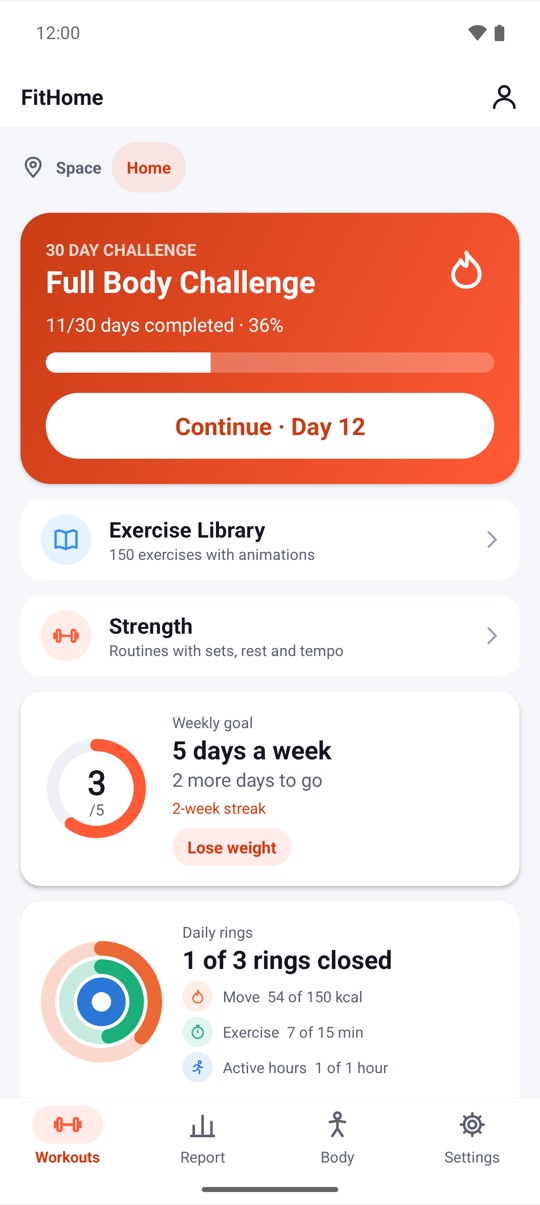
How FitHome handles it: the 15 built-in plans for abs, chest, arms, legs and full body, at three levels, and the 30-day Full Body Challenge use your body weight, with chair and wall options. A chair or mat is optional for a few moves. Quick start lets you set equipment to none, a chair, a mat or dumbbells. The No equipment chip under Adapt today swaps out anything that needs a chair or dumbbells for one session.
If you do have weights, Strength routines are there too (see point 7). They're optional.
4. Will it show you how to do each move?
A list of exercise names isn't a workout. Especially for beginners, you need to see the movement and keep track of time without staring at the screen.
What to check: does every exercise have a demonstration? Is there audio guidance, so you can put the phone down?
How FitHome handles it: each of the 150 exercises has an animated guide and step-by-step tips. In the workout player, a voice coach counts reps, times rests and tells you what's next. Beeps and haptics work if you'd rather not hear a voice. The player keeps going in the notification and on the lock screen.
You can also set the pace (Slow, Normal or Fast), how much of each exercise the coach explains, and whether it counts every rep out loud. Adapt today, pace and the workout buddy covers those settings.
5. Does it fit your level and your limits?
A plan that's too hard on day one, or full of jumps when your knees don't like jumping, is a plan you'll quit.
What to check: can you pick a level? Can you tell the app what to avoid, and does it replace those moves instead of just skipping them?
How FitHome handles it:
- Three levels: Beginner, Intermediate and Advanced. After a built-in plan, you rate it Too easy, Just right or Too hard, and the next session of that plan is scaled by about 10%.
- My limitations: sensitive knees, wrists, shoulders or lower back, No jumping (quiet mode) and Standing only. Each excluded exercise is replaced by the closest suitable alternative, and the plan shows how many swaps it made.
- Low-impact packs: Chair workout, Wall Pilates, Standing cardio, Morning & bedtime, and Desk break.
Workouts that respect your limits has the details. It's a filter, not a medical assessment.
6. Does it decide what to train when you can't?
Decision fatigue kills more workouts than lack of time does.
What to check: is there a "just start" button? Does the app plan ahead for you?
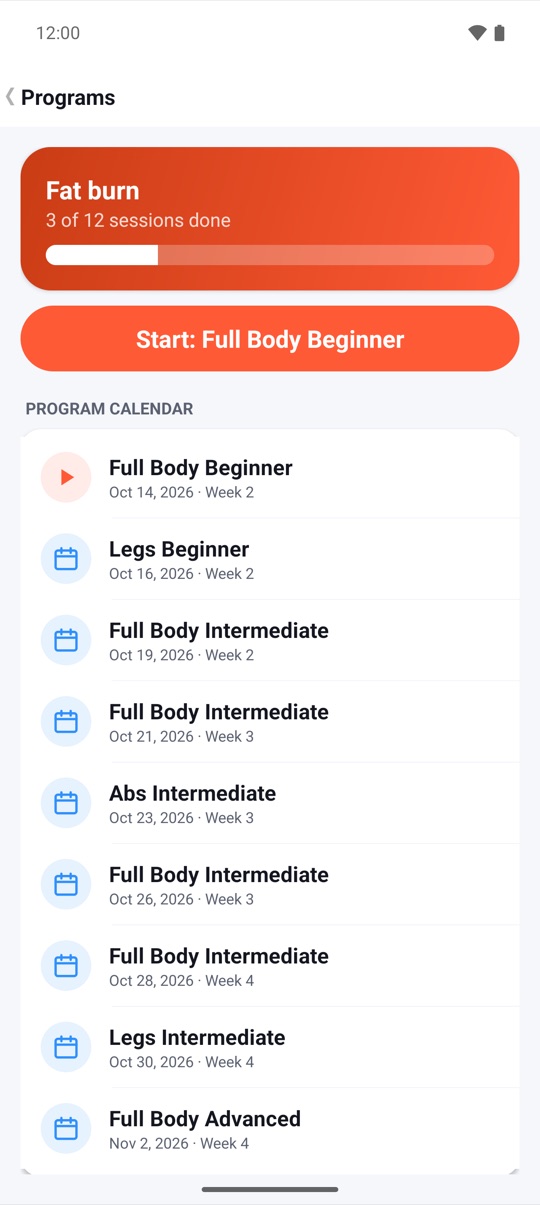
How FitHome handles it: three tools, described in Today's mix, Quick start and programs:
- Today's mix: a new session generated each day on your phone, avoiding recent repeats.
- Quick start: pick 5, 10, 15 or 20 minutes, a focus and your equipment, then Build and start.
- Programs: Fat burn, Strength, Core or Mobility, four weeks on the days you choose.
7. Can you see progress without a cloud dashboard?
Progress charts are often the part that needs an account. They shouldn't.
What to check: after a few workouts, what does the app show you, and does it need a sign-in to show it?
How FitHome handles it: everything is calculated on the phone. The Report tab shows workouts, minutes and calories, a current streak and badges to unlock. Trends add an active-days heatmap and minutes per week against your goal. The Body tab shows a weight trend with a 7-day average and a BMI calculator.
Streaks count weeks rather than days, with shields for a missed week and a Pause my plan option for illness or travel. There's also an 8-minute fitness test every four weeks, for a real before-and-after. See A fitness test every four weeks.
For strength days, every set is logged with what you lifted last time, an RPE rating and a rest timer. Focus mode turns the rest screen into one big timer.
8. Is the price clear?
What to check: read the store listing for "in-app purchases" and "contains ads". Open the app and see what's locked.
How FitHome handles it: FitHome is a one-time purchase on Google Play. There's no subscription, no in-app purchases and no ads. Every plan, the workout builder, trends and future updates are included. The price is shown on Google Play in your currency, and Google Play's refund policy applies.
9. Does it run on the devices you own?
What to check: the minimum Android version, and whether there are tablet or TV layouts.
How FitHome handles it: Android phones and tablets from Android 4.3, plus Android TV and Google TV. On a TV everything works with the remote, including a big timer and media keys. Lite mode turns on automatically on older phones or in Battery Saver, with fewer animations and steadier timers. Train on your TV with a remote shows the big-screen version.
10. Is it accessible, and can you take your data with you?
What to check: try the app with TalkBack and larger text. Look for an export option.
How FitHome handles it: light, dark and high-contrast themes, colour-blind-safe charts, TalkBack support, large text and a simpler Comfort mode. It's available in 20 languages, including right-to-left Arabic. For your data: encrypted backups to a folder you pick, and CSV, JSON or calendar exports. See Accessibility: TalkBack, comfort mode and colour-blind charts.
What FitHome doesn't do
A fair checklist includes the gaps:
- No built-in cloud sync. FitHome can save backups to a folder you choose, daily or weekly. If a cloud app on your phone syncs that folder, the backups travel with it, but FitHome itself never connects.
- No filmed classes or live coaching. Guidance comes from animated figures and a voice coach.
- Not a medical app. It's general fitness guidance. Check with a doctor before you start if you have a health condition.
If those matter to you, weigh them against the points above.
Watch it on your phone
Watch on YouTube: the full feature tour and the Short. The product page has the films, the store screenshots and the Google Play link. New to exercise? Start with how to start working out at home.
FAQ
What's the best way to test whether a workout app really works offline?
Turn on airplane mode before you open it, then complete a full workout and check that it appears in your history. On Android you can also check the app's permissions in system settings. FitHome doesn't request the internet permission.
Can a home workout app work without an account and still back up my data?
Yes. FitHome has no account. It saves backups to a folder you choose, optionally encrypted with a passphrase, and you restore from that folder on your new phone. It can also export your history as CSV, JSON or a calendar file.
Do I need any equipment for FitHome?
No. Every plan uses your body weight, and a chair or mat is optional for a few moves. Strength routines with dumbbells or a barbell are there for when you have weights.
Does FitHome have a subscription or ads?
No. It's a one-time purchase on Google Play, with no in-app purchases and no ads. Future updates are included.
Will FitHome run on an old Android phone?
It supports Android 4.3 and newer. Lite mode reduces animations and keeps timers steady on older phones and in Battery Saver.
Is FitHome suitable for complete beginners?
Yes. Pick the Beginner level during setup, choose a small weekly goal and follow the animated guides. Our two-week beginner guide walks through it step by step.