 FitHome
Adapt today, pace and the workout buddy
Shorten or soften a single session with Adapt today, set the pace and how much the coach explains, and get short encouragement from your own history.
A training plan assumes every day is the same. Real life isn't like that: some days you have ten minutes, some days you slept badly, and some days the baby is asleep in the next room. FitHome has a few controls for those days that change today's session without touching your plan.
Adapt today: one tap, one session
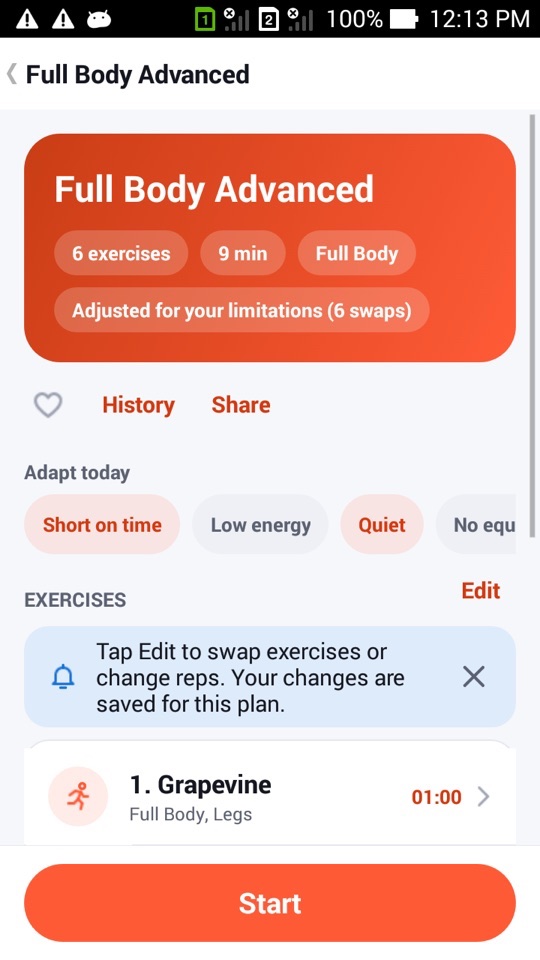
Every plan page has a row of chips labelled Adapt today:
- Short on time: about half the exercises, keeping at least one for every body part the plan works.
- Low energy: 25% fewer reps and seconds, and 25% longer rests.
- Quiet: no jumping or loud moves for this run only, using the same swaps as quiet mode in My limitations.
- No equipment: exercises that need a chair or dumbbells are swapped for ones that don't.
- Extra rest: 15 more seconds between exercises.
You can combine them. Short on time plus Quiet gives you a shorter, quieter session. The changes apply only to this run, never to the saved plan. Tap a chip again to turn it off and the plan is back exactly as it was. Your history records what you changed, for example "Adapted: short, quiet", so you can see it later.
How Adapt today fits with adaptive training
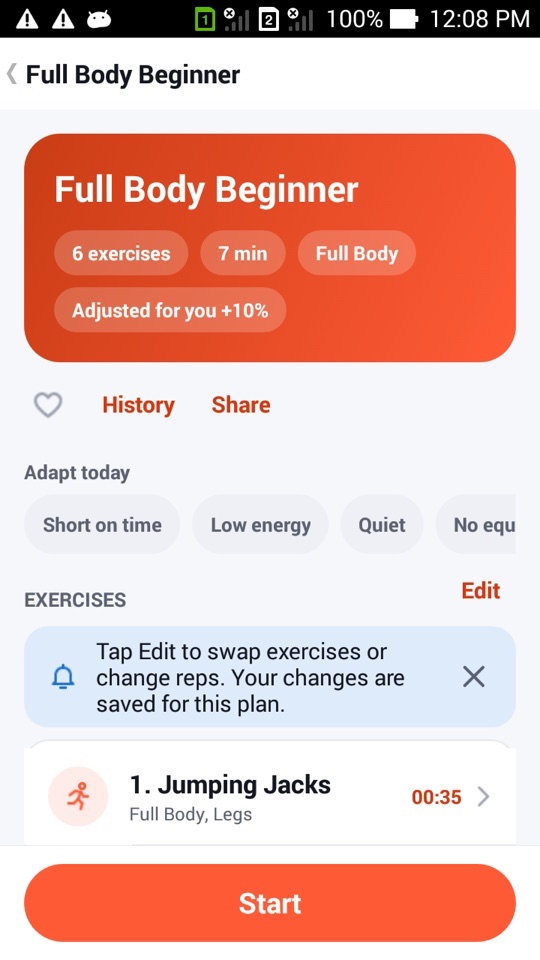
After a built-in plan, FitHome asks how it felt: Too easy, Just right or Too hard, plus an effort rating from 1 to 10. The next session of that plan is scaled up or down by about 10%, within fixed limits. Three "too easy" answers in a row suggest moving up a level. The plan then shows a label such as "Adjusted for you +10%". Any edits you've made to the plan yourself take priority.
A Low energy run isn't a fair test of how hard a plan is, so FitHome doesn't ask how it felt after one, and it doesn't change your difficulty because of it.
Pace, explanations and rep counting
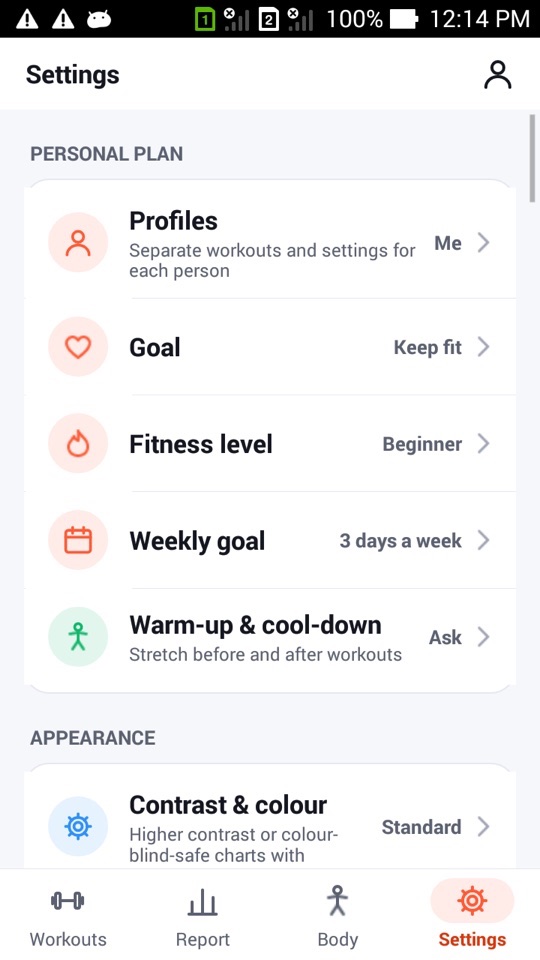
In Settings, and in the ⋮ menu during a workout, you'll find three coaching options:
- Pace: Slow, Normal or Fast. This sets the time per rep (about 4, 3 or 2.5 seconds) and the get-ready countdown before each exercise (15 or 5 seconds for Slow and Fast; Normal uses your own countdown setting). Estimated minutes on plan cards update to match. If you change the pace mid-workout, it applies from the next exercise.
- Explanations: Full reads all of an exercise's steps, Short reads only the first, and Off says just the name. Useful once you know the moves.
- Rep counting: a tick and a spoken count for every rep at your chosen pace, so you can keep a steady rhythm without watching the screen. It's timed so it doesn't drift, even over 30 reps.
The workout buddy
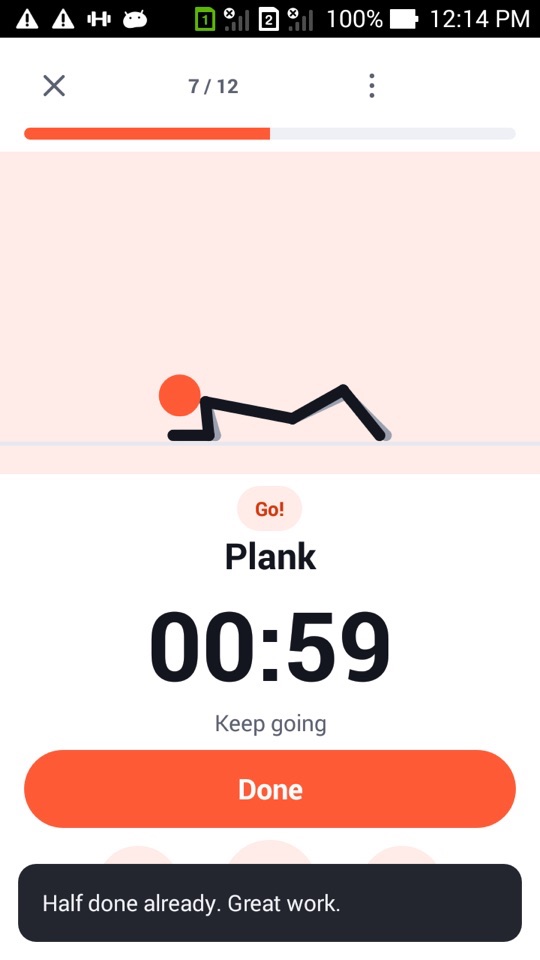
The Workout buddy speaks short lines of encouragement based on your own history. There's no AI and no internet connection. It picks at most one line per exercise change, from moments such as:
- halfway through the workout,
- the last exercise,
- being about to beat a personal record,
- a workout-count milestone or your longest weekly streak,
- being ahead of your best pace this month,
- coming back after a pause.
Lines are spoken by the voice coach, or shown as a short message when voice is off. They don't repeat within a session or across your last three sessions, and they never talk over the 3-2-1 countdown. Choose Off, Light or Chatty under Workout buddy in Settings.
Audio guide for eyes-free workouts
Turn on Audio guide and FitHome reads each exercise's full instructions when it starts, announces the time left during holds and says what's next during rests. The workout keeps running with the screen off, so you can put the phone in a pocket or face down. If you unplug your headphones, the workout pauses and tells you why.
FitHome is not a medical device. Adapt today and the coaching options change how a session runs, not whether it's right for you. Check with a doctor or physiotherapist before starting a new exercise routine, especially with an injury, and stop if something hurts.
How to adapt today's workout
- Open any plan, a challenge day or a Quick start session.
- Under Adapt today, tap the chips that fit: Short on time, Low energy, Quiet, No equipment or Extra rest.
- Check the exercise list and the estimated minutes at the top.
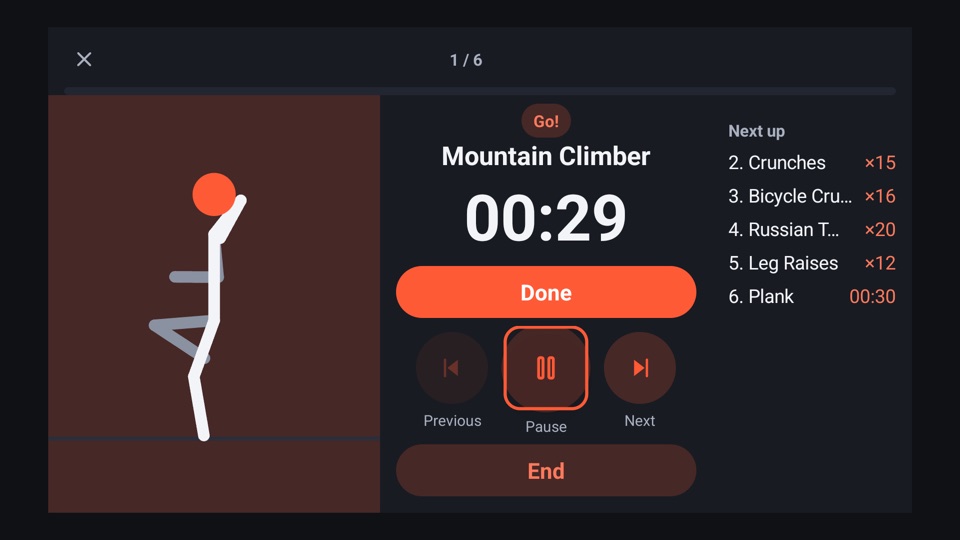
- Tap Start. During the workout, open the ⋮ menu if you want to change the pace, explanations or rep counting.
- When you finish, rate the session (unless you chose Low energy) so the next one adjusts.
- Next time you open the plan, the chips are clear again and the plan is back to normal.
FAQ
Does Adapt today change my plan permanently?
No. The changes apply to one run only. To change a plan permanently, use Edit on the plan page. Those edits are saved and can be reset to the default.
Can I combine several Adapt today options?
Yes. They stack. Short on time with Extra rest gives you fewer exercises and longer breaks between them.
Does the workout buddy need the internet?
No. Every line comes from templates built into the app, filled in from your history on the device. If your phone has no voice data for your language, the lines appear as text instead.
What if I find the counting annoying?
Turn Rep counting off and set Workout buddy to Off or Light. Set Explanations to Off if you only want to hear exercise names.