 FitHome
A fitness test every four weeks
FitHome's 8-minute fitness test measures push-ups, squats, plank, wall sit and optional resting pulse, turns them into a score and tracks it every 4 weeks.
Minutes, calories and streaks are good at showing that you trained. They're less good at answering the question most people actually have after a month: am I fitter than when I started? FitHome's fitness test is a short set of simple tests you repeat every four weeks, so you can compare the results.
What the test measures
The test takes about eight minutes and has five parts. Each one has a short instruction and its own timer:
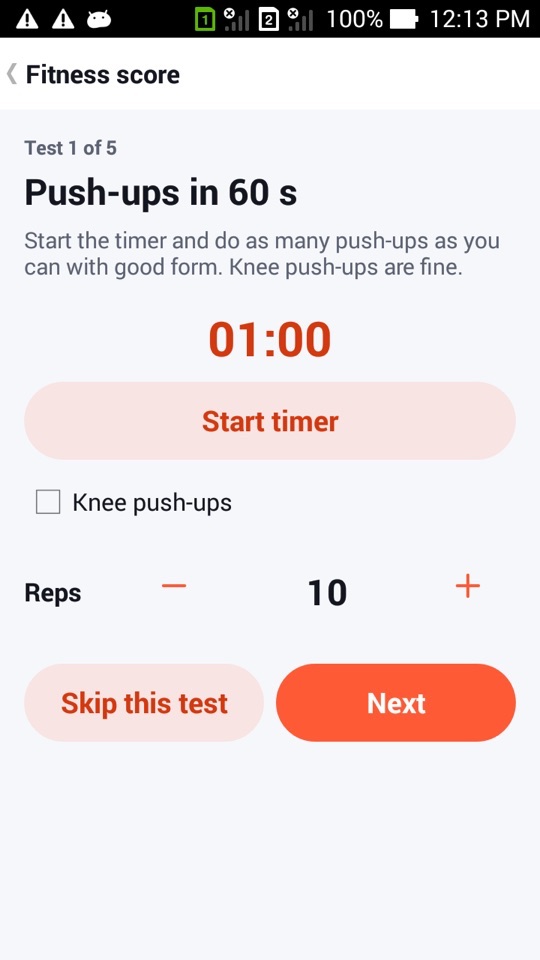
- Push-ups in 60 s: as many as you can with good form. Knee push-ups are fine; tick the box so they're scored fairly.
- Squats in 60 s: as many full squats as you can.
- Plank hold: hold a forearm plank as long as you can, then stop the timer.
- Wall-sit hold: hold a wall sit with your thighs level, then stop the timer.
- Resting pulse (optional): sit still for a minute, find your pulse at your wrist or neck, start the 15-second timer and count the beats. FitHome converts the count to beats per minute.
You enter each result with a stepper, so there's nothing to type. If a test doesn't suit you today, tap Skip this test. Your score is then calculated from the tests you did.
From results to a fitness score
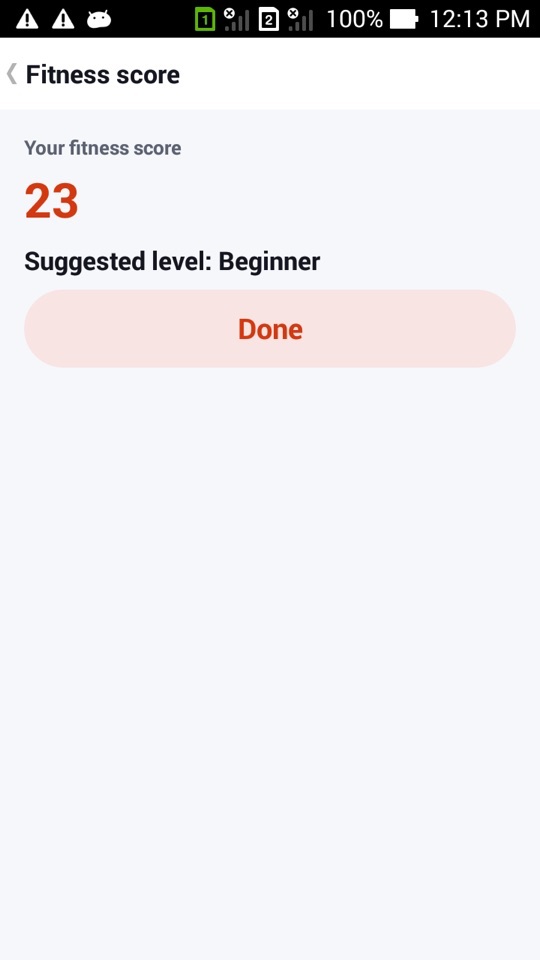
Each test result becomes a score from 0 to 100. More reps or a longer hold always means a higher score, and for resting pulse a lower number scores higher. Knee push-ups count for a bit less than full push-ups. Your fitness score is the average of the tests you took, so it's always between 0 and 100.
FitHome uses the score to suggest a level: below 35 suggests Beginner, 35 to 69 Intermediate, and 70 or more Advanced. If the suggestion differs from your current level, you'll see a Use this level button. It's only a suggestion, and you can ignore it.
The score is a way to compare yourself with yourself over time. It isn't a medical measure, and it isn't meant to rank you against anyone else.
Seeing progress on the Report tab
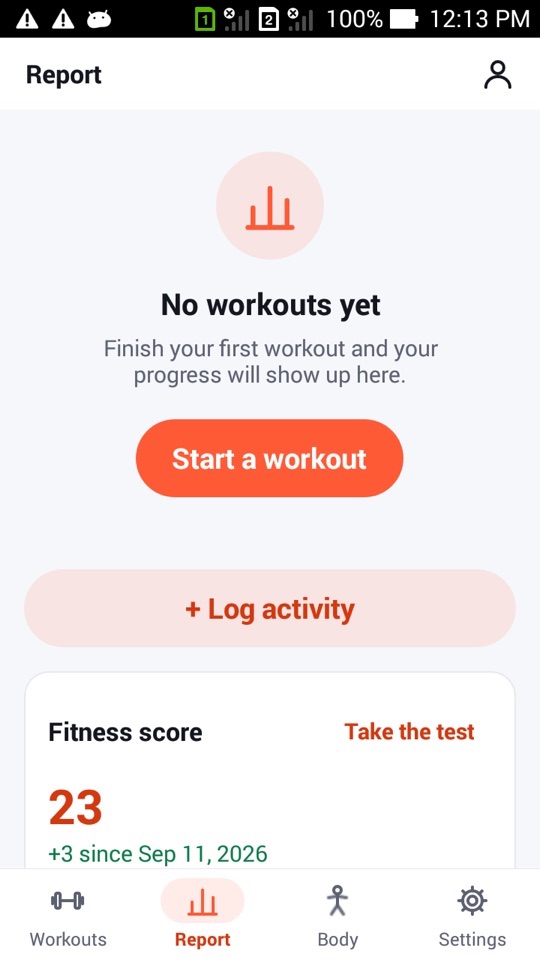
The Report tab has a Fitness score card. It shows your latest score, the change since your first test (for example "+3 since Sep 11, 2026"), a line chart of your score across tests, and a first → latest comparison for each test. That way you can see whether the improvement came from push-ups, plank time or somewhere else. The card has a Take the test link whenever you want to retest.
Like everything else in FitHome, your test results stay on your phone. Nothing is uploaded.
Every four weeks, with a reminder
Four weeks is long enough for training to make a noticeable difference, and short enough to keep you interested. Twenty-eight days after each test, FitHome posts a reminder: "Time for your 4-week fitness test. 8 minutes to see how far you've come." If you've paused your plan, the reminder waits until you're back.
Tips for a fair comparison
The score is only useful if each test is done the same way each time. A few simple habits help:
- Test at a similar time of day, and not straight after a hard workout.
- Warm up briefly first. FitHome's warm-up routine works well.
- Use the same push-up variant each time, or tick the knee box honestly.
- For the plank and wall sit, stop when your form breaks, not when you're completely exhausted.
- Measure resting pulse after sitting quietly, not after the other tests.
FitHome is not a medical device, and the fitness score and pulse reading are not medical measurements. Don't push through pain in any test. If you have a heart condition, high blood pressure, an injury or are pregnant, ask your doctor before doing maximum-effort tests like these.
How to take the fitness test
- Open the Report tab and find the Fitness score card.
- Tap Take the test.
- For each test, read the instruction, tap Start timer and do the exercise. Then set your result with the stepper and tap Next.
- Tick Knee push-ups if you did them on your knees, or tap Skip this test for any test you want to leave out.
- Read your score and suggested level. Tap Use this level if you want to change your level, or Done to keep it.
- Come back when the 4-week reminder arrives and compare your score on the Report tab.
FAQ
Do I have to do all five tests?
No. Every test can be skipped, and your score is based on the ones you completed. Resting pulse is optional anyway.
Will FitHome change my level automatically?
No. It suggests a level and shows a Use this level button. Your level only changes if you tap it.
Can I retake the test before four weeks are up?
Yes. Tap Take the test on the Report card at any time. The reminder is just a nudge, not a lock.
Is a score of 50 good?
It's a starting point, not a grade. The score is designed to compare you with your own earlier results, so what matters is whether it goes up over the following months.