 FitHome
Workouts that respect your limits
Tell FitHome about sensitive joints, a no-jumping flat or no floor work, and every workout swaps in a suitable alternative automatically.
A workout plan is only useful if you can actually do it. Maybe your knees don't like jumping, your wrists complain in a plank, or someone lives below you and you don't want to rattle their ceiling at 7 a.m. Many apps leave you to skip those moves yourself. FitHome lets you tell it once, and then adjusts every session.
This post covers My limitations, the low-impact content packs and how the two work together.
My limitations
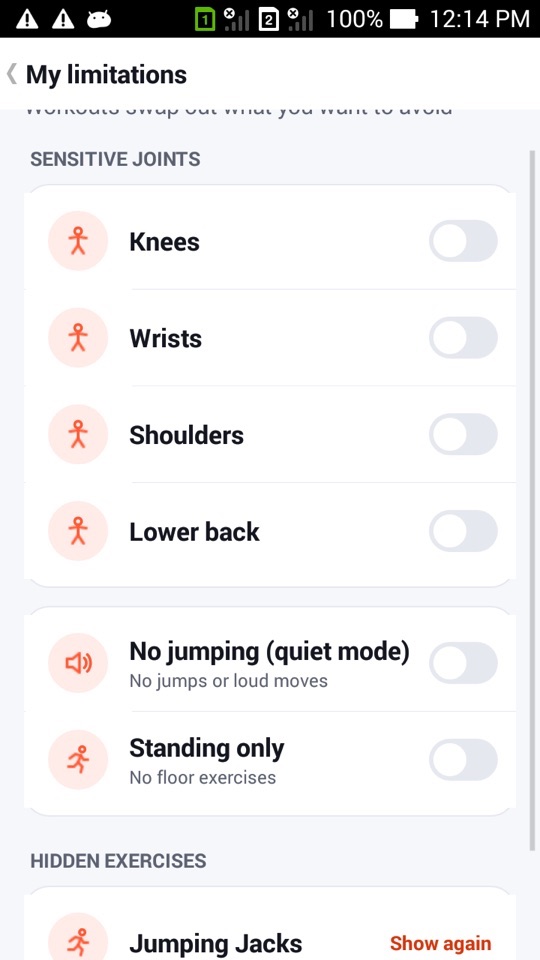
Open Settings → My limitations and you'll find three groups of options:
- Sensitive joints: knees, wrists, shoulders and lower back. Turn on any that apply.
- No jumping (quiet mode): removes jumps and loud moves. Good for flats and early mornings.
- Standing only: removes floor exercises, for when getting down to the floor and back up isn't practical.
Every exercise in FitHome is tagged with its impact, whether it's loud, whether it's done on the floor and which joints it loads. The filter uses those tags. You can also add your limitations during first-time setup in an optional step called "Anything to avoid?", which you can skip and change later in Settings.
What happens to your workouts
FitHome doesn't simply drop the moves you want to avoid. Each one is replaced by the closest exercise that passes your settings. It looks for the same kind of exercise working a shared body part, and prefers one measured the same way (time or reps) and with a similar intensity. With quiet mode on, Jumping Jacks might become a Grapevine or Step Touch, and Burpees an Inchworm.
If there really is no suitable alternative, the slot is removed and the remaining exercises are lengthened a little, so the session stays about as long as planned.
This applies everywhere FitHome builds a session: built-in plans, the 30-day challenge, Quick start, programs, warm-ups and cool-downs, swap suggestions and Today's mix.
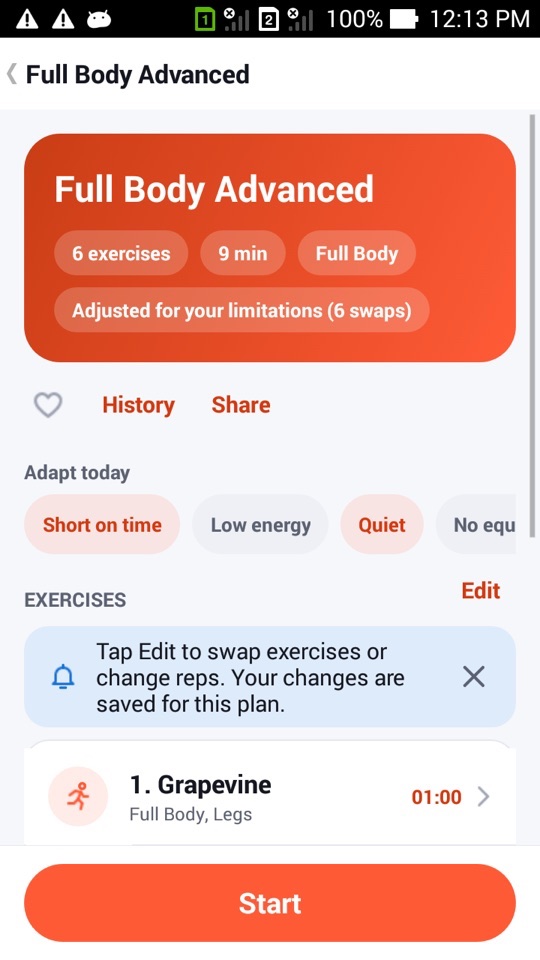
A plan that has been changed says so at the top, for example "Adjusted for your limitations (6 swaps)". Tap that label to see each change as original → replacement.
"Never show me this"
Sometimes the problem is one exercise rather than a whole category. On any exercise page, or from the ⋮ menu in the workout player, choose Never show me this. That exercise is replaced the next time any plan that includes it runs. There's no limit on how many exercises you can hide.
Hidden exercises are listed at the bottom of My limitations, each with a Show again button, so nothing disappears for good by accident.
Low-impact packs: chair, wall, standing, bed and desk
Swapping exercises helps, but some days you want a session built for low impact from the start. FitHome's library has 150 exercises, and five packs are designed around low-impact movement. Each runs for 28 days:
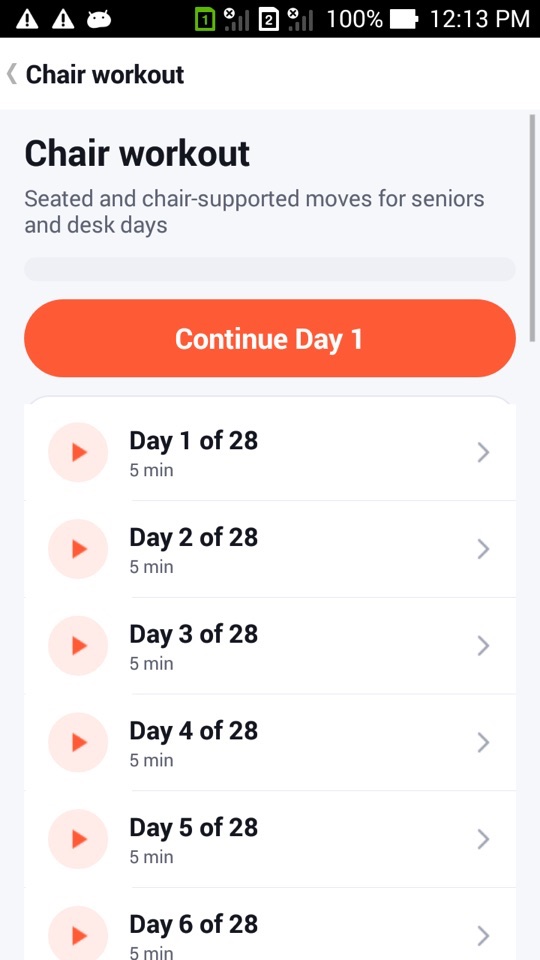
- Chair workout: seated and chair-supported moves for seniors and desk days.
- Wall Pilates: controlled, low-impact moves using a wall.
- Standing cardio: low-impact cardio with no jumping and no floor work.
- Morning & bedtime: gentle stretches you can do in bed.
- Desk break: 2–5 minute resets for the neck, back and hips.
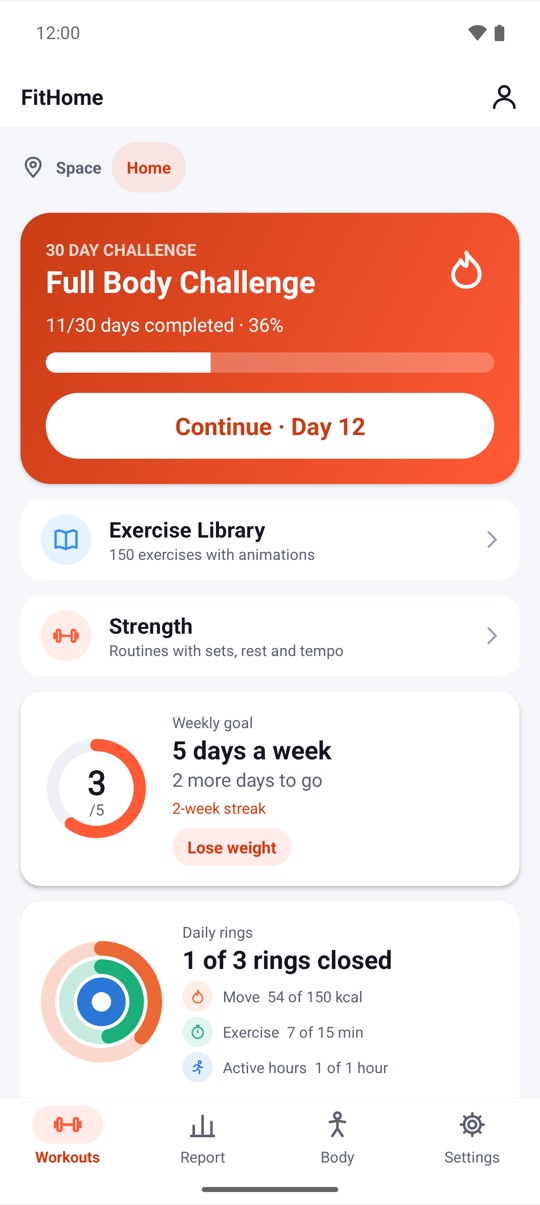
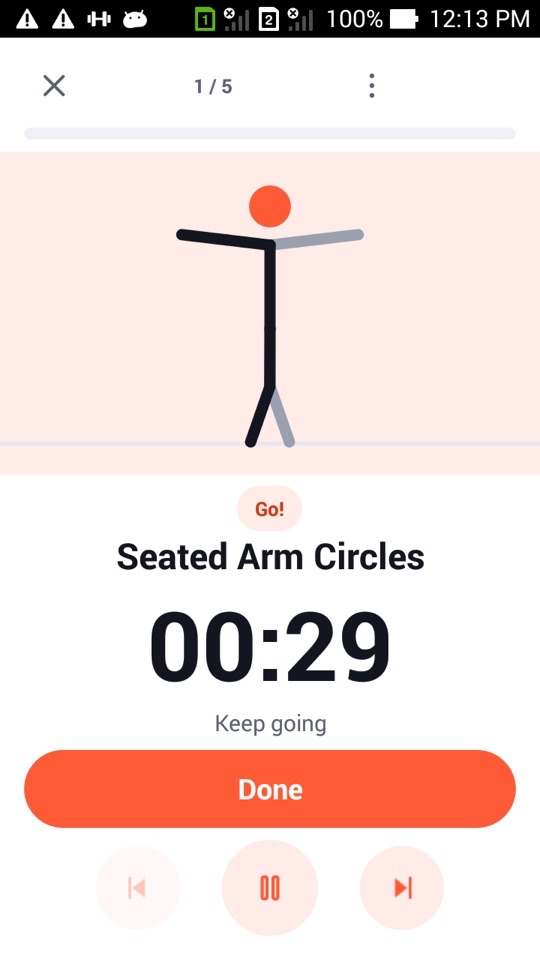
Packs work like the 30-day challenge. You get a Continue Day N button, and every seventh day is a rest day (except in Desk break, which is short enough to do daily). Each exercise has its own animated stick figure, so you can see the movement before you try it.
On Android TV the packs have their own Browse row called "Low impact & chair", and the limitation switches work with the D-pad.
A note on what this is, and isn't
My limitations is a filter, not an assessment. FitHome doesn't know the details of your injury, and it doesn't try to. The same note appears in the app: "Not medical advice. Ask a professional after an injury."
FitHome is not a medical device. Check with a doctor or physiotherapist before starting a new exercise routine, especially with an injury or a joint problem. Stop any exercise that causes pain.
If you just want a quieter or easier session today, without changing your settings, the Quiet and Low energy options under Adapt today apply to a single run. There's more in Adapt today, pace and the workout buddy.
How to set up your limitations
- Open the Settings tab and tap My limitations.
- Turn on any Sensitive joints that apply to you.
- Turn on No jumping (quiet mode) if you need quiet workouts, and Standing only if floor work isn't practical.
- Open any plan. If something was swapped, you'll see "Adjusted for your limitations" with the number of swaps. Tap it to review them.
- During a workout, if one exercise doesn't suit you, open the ⋮ menu and choose Never show me this.
- To undo that later, go back to My limitations and tap Show again next to the exercise.
FAQ
Will my limitations make workouts shorter?
Usually not. Each excluded exercise is replaced with a similar one. Only when no alternative fits is the slot removed, and then the other exercises are lengthened slightly to keep the session close to its planned time.
Is there a limit to how many exercises I can hide?
No. Hide as many as you need. They're all listed in My limitations with a Show again button.
Do limitations apply to my own custom workouts?
Yes. When a custom workout runs, the same filter is applied, so an exercise you've since excluded is swapped for an alternative. Your saved workout itself isn't changed, so if you turn a limitation off again, the original exercise comes back.
Are the chair and wall packs suitable for beginners?
They're designed to be low impact and start with short sessions, around five minutes on day one of the Chair workout. Still, check with a professional if you have a health condition.