 FitHome
Breathing and rest days
FitHome's Breathe player guides box, 4-7-8 and coherent breathing, and on scheduled rest days Home suggests easy mobility or a few minutes of breathing.
Training plans have rest days for a reason: your body needs time to recover between sessions. In many apps a rest day just shows an empty screen, which can feel like you've fallen off the plan. FitHome treats rest as part of the plan, with a guided Breathe player and a rest-day card that suggests something easy to do instead.
The Breathe player
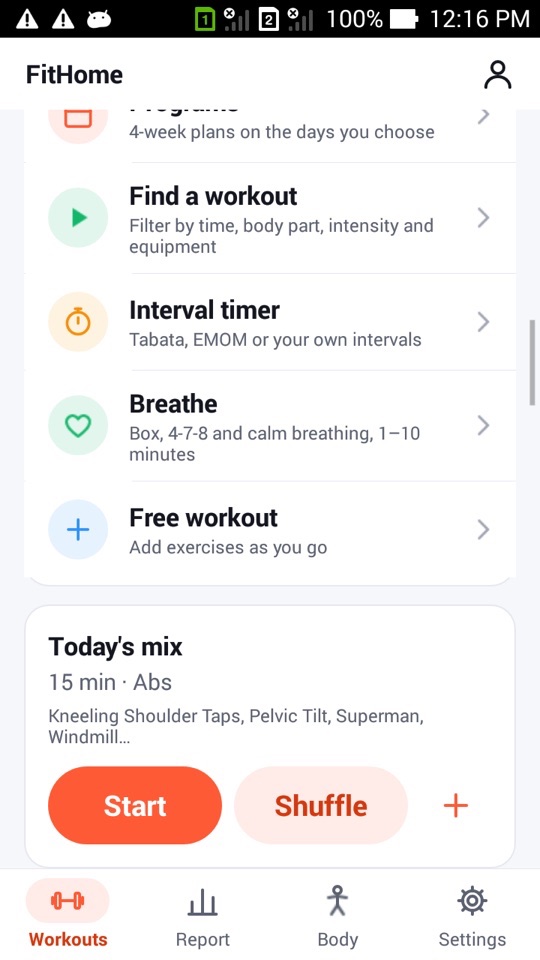
You'll find Breathe in the list of tools on the Workouts tab, alongside Programs, Find a workout and the Interval timer. It has four patterns:
- Box 4-4-4-4: breathe in for 4 seconds, hold for 4, breathe out for 4, hold for 4.
- Relax 4-7-8: in for 4, hold for 7, out for 8.
- Coherent 5.5/min: an even rhythm of about 5.5 breaths per minute, with equal time breathing in and out.
- 1-minute calm: a short session with a longer out-breath, useful just before a workout.
Pick a pattern, choose 1–10 minutes with the stepper and tap Start. A circle grows as you breathe in, stays full while you hold, shrinks as you breathe out and stays small during the second hold. The current phase ("Breathe in", "Hold", "Breathe out") is shown in large text under the circle.
Each phase change also plays a short tone and a light vibration, following your Sound and Vibration settings. That means you can close your eyes and follow along. The session always finishes at the end of a full breath, not halfway through one. The screen stays on while it runs.
Calm for every setup
The Breathe player follows a few accessibility rules:
- If you've turned animations off in Android's settings, the circle stays still and the text tells you each phase.
- With TalkBack on (Android 4.4 and newer), phase changes are announced as they happen.
- On Android TV there's a Breathe row with Box, 4-7-8 and Coherent. The circle fills the big screen, so it's easy to follow from the sofa.
Rest days that tell you what to do
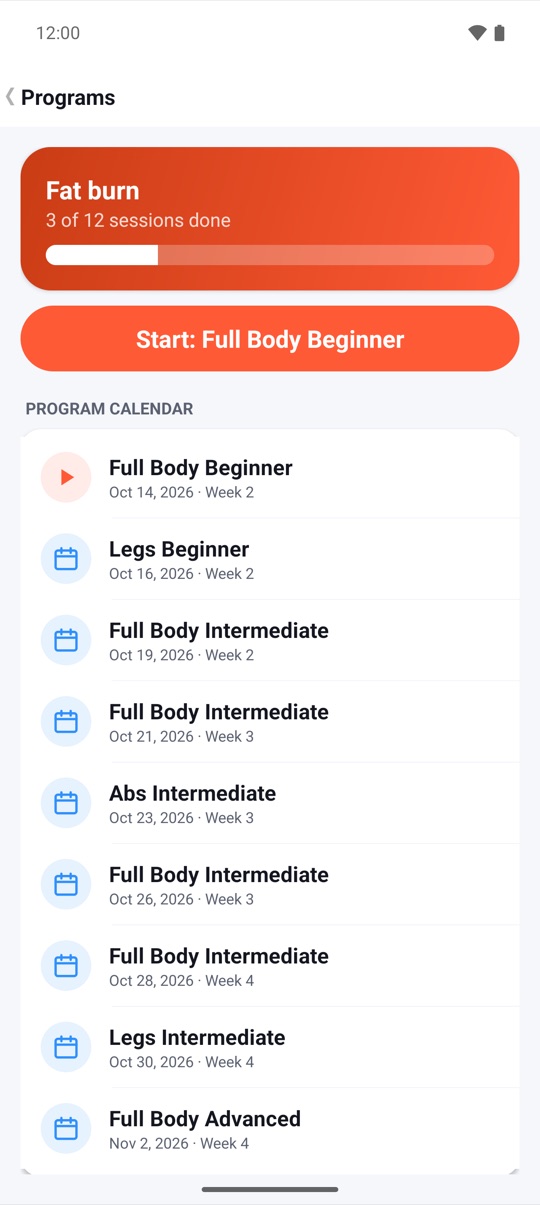
When today is a scheduled rest day, either a gap in your program calendar or a rest day in the 30-day challenge, the Workouts tab shows a Rest day card instead of nothing. It reads "Recover actively: 8 minutes of mobility or 3 minutes of breathing" and has two buttons:
- 8 min mobility opens FitHome's cool-down stretching routine, ready to start.
- 3 min breathing opens the Breathe player, ready with 3 minutes.
The card only appears on scheduled rest days. On a training day, Home shows your next session as usual.
Recovery minutes are counted separately
Breathing isn't training, so FitHome doesn't count it as training. Breathe sessions go into their own Recovery total, and Report shows a line such as "Recovery this week: 6 min". Your training minutes, your weekly goal and the WHO 150-minute line in your charts only include actual workouts. Breathing on a rest day won't inflate them.
Pairing rest with the recovery map
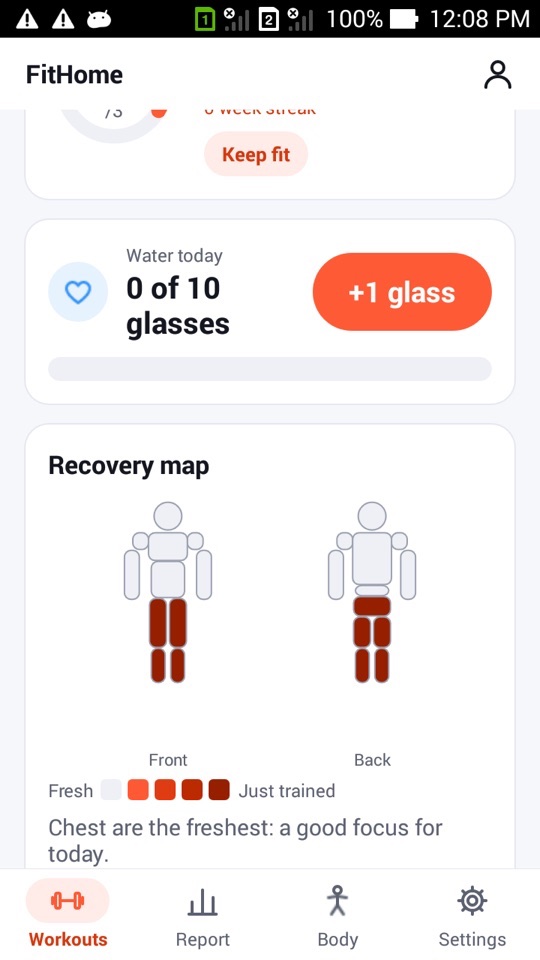
The Recovery map on Home shows a front and back body view. Muscle groups are shaded by how recently you trained them, using workouts and strength sets from the last 72 hours, from Fresh to Just trained. If everything was trained recently, FitHome suggests a rest day or a stretch instead of pushing you into another hard session.
Why short breathing sessions?
We kept the Breathe player simple on purpose: a few common patterns, short durations and no scores. It's a way to slow down for a few minutes on a rest day, or to settle before a workout, not a treatment for anything. If you want to go further with breathing practice, a qualified teacher is a better guide than any app.
FitHome is not a medical device, and breathing exercises are not a treatment for any condition. If you feel dizzy or uncomfortable, stop and breathe normally. If you have a heart, lung or blood pressure condition, or you're pregnant, ask your doctor before trying breath holds.
How to do a breathing session
- Open the Workouts tab and tap Breathe, or tap 3 min breathing on a Rest day card.
- Choose a pattern: Box 4-4-4-4, Relax 4-7-8, Coherent 5.5/min or 1-minute calm.
- Set the length with the Minutes stepper (1–10).
- Tap Start and follow the circle: breathe in as it grows, hold while it stays full, breathe out as it shrinks.
- Close your eyes if you like. The tone and vibration mark each phase change.
- Let the session finish, or tap End. The minutes are added to your Recovery total on the Report tab.
FAQ
Do breathing minutes count toward my weekly goal?
No. They're tracked as recovery minutes, separate from training minutes, so your weekly goal and minutes charts only show workouts.
When does the Rest day card appear?
Only on scheduled rest days: a day without a session in your program calendar, or a rest day in the 30-day challenge. On other days, Home shows your next workout.
Can I use Breathe without sound?
Yes. Turn sounds off and the phases are marked by vibration and the on-screen text. Turn vibration off as well and you can follow the circle and text alone.
Is Breathe available on the TV?
Yes. Android TV has a Breathe row with Box, 4-7-8 and Coherent sessions shown full screen.